Tested by AiIndex |
We tried three free portrait background removers
We gave BusinessHeadshots, Pixelcut and Pixian the same three photos to see what you can download without an account. These are the automatic results, with no paid upgrades or touch-ups.
Loose curls against a plain background
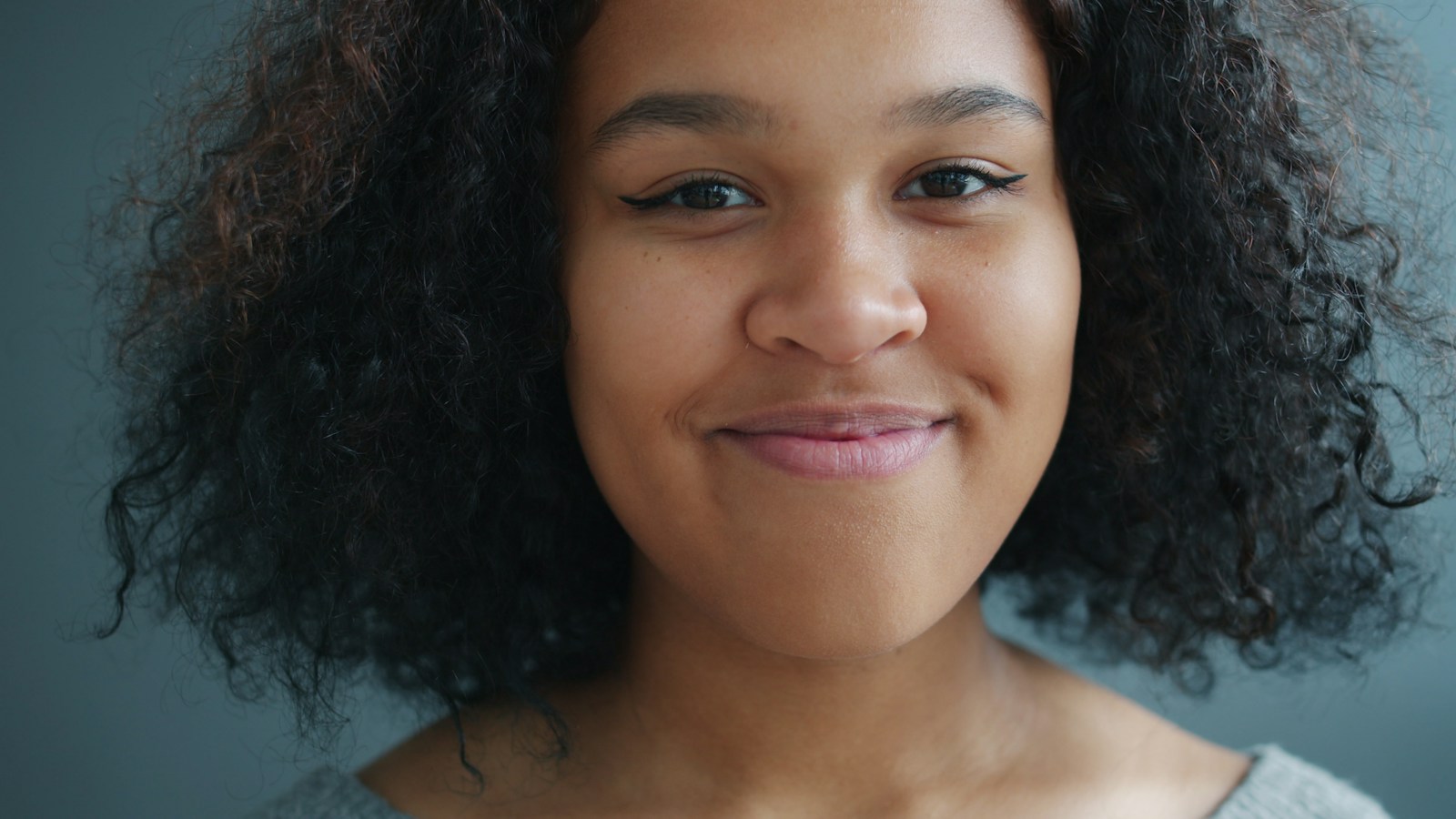 Original JPG: Loose curls against a plain background, Original
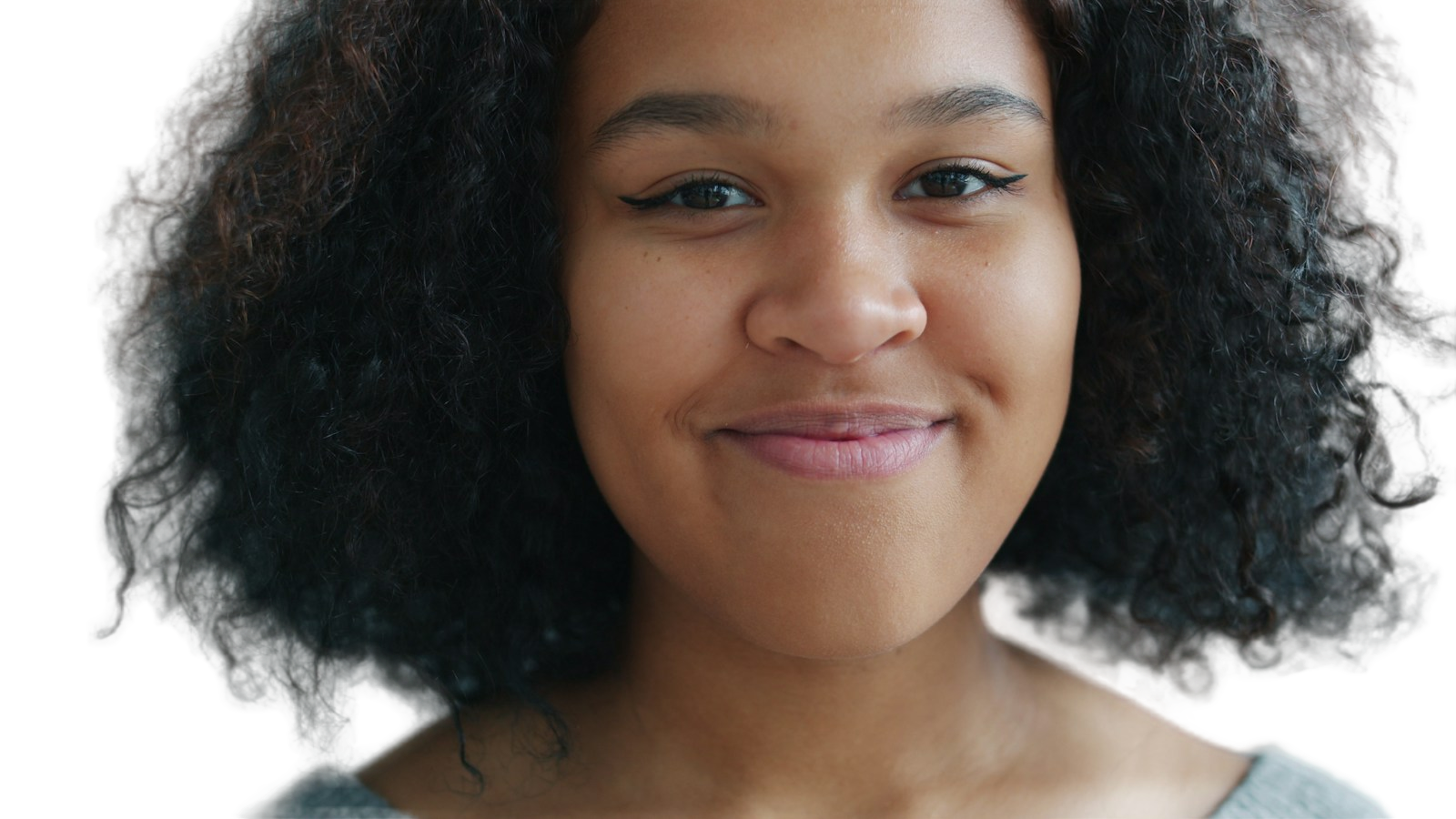 Download PNG: Loose curls against a plain background, BusinessHeadshots
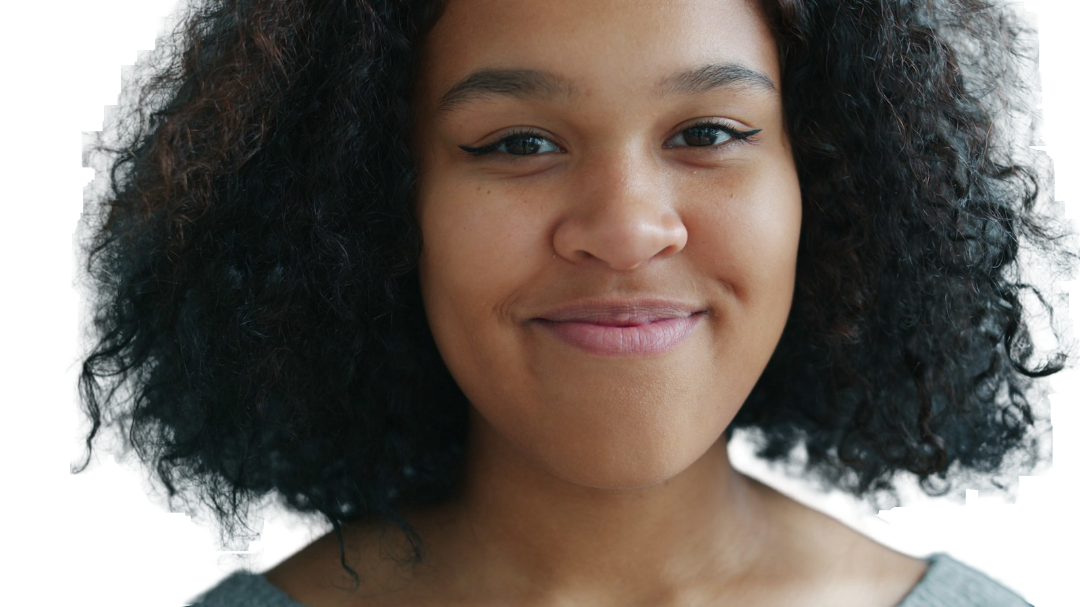 Download PNG: Loose curls against a plain background, Pixelcut
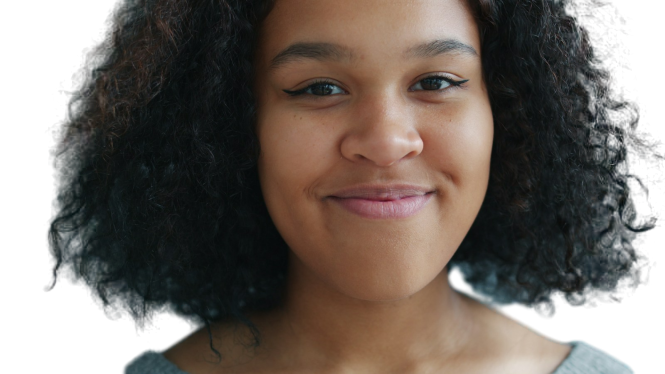 Download PNG: Loose curls against a plain background, Pixian
The face looks fine in all three. The curls are trickier: Pixelcut left broad patches of the blue-gray background around them. BusinessHeadshots removed more of that background, but left rough hair edges and a pale line along the right shoulder. Pixian also lost some fine strands and left background between the lower curls.
Photo: Vitaly Gariev / License
A white shirt and a wooden chair
 Original JPG: A white shirt and a wooden chair, Original
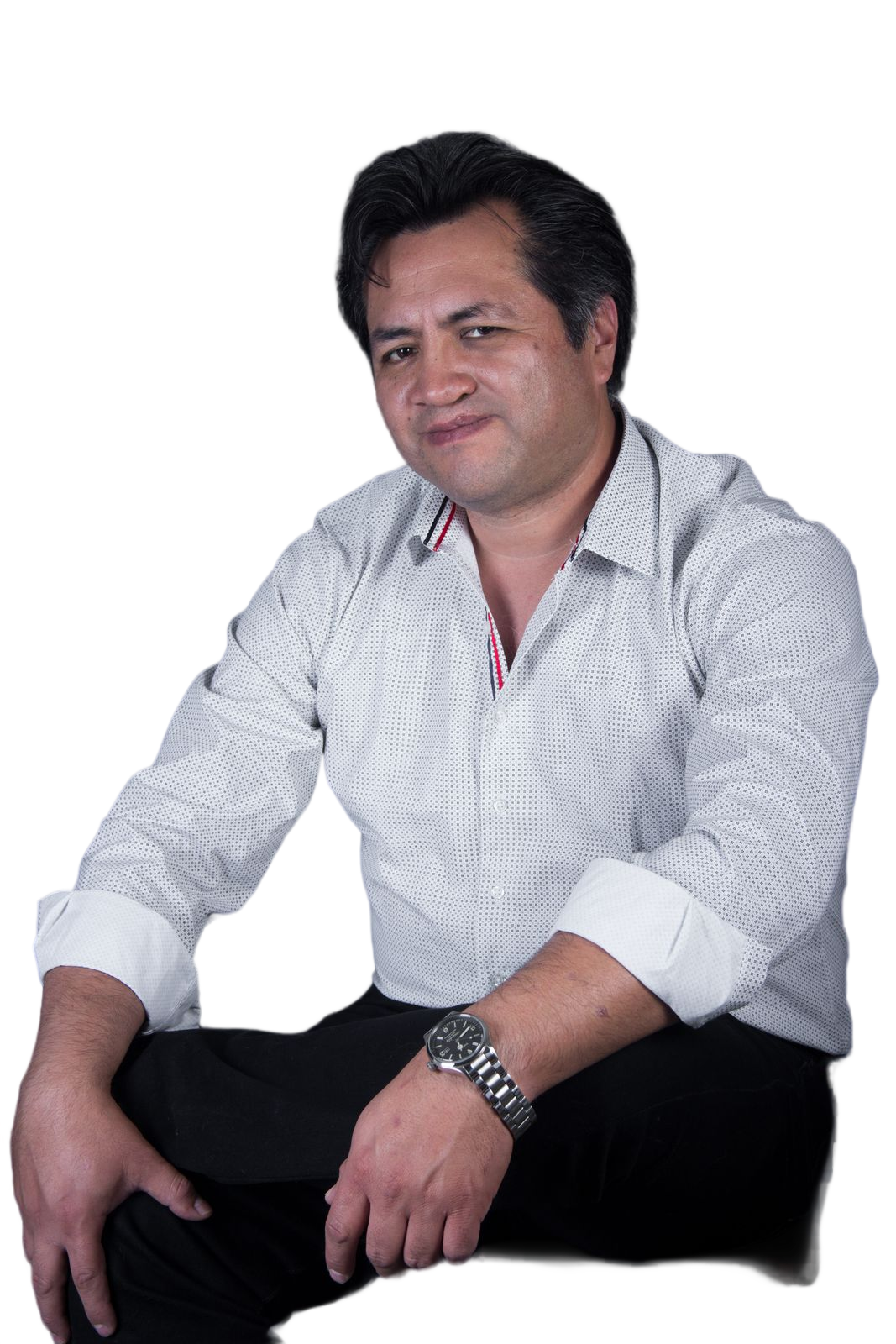 Download PNG: A white shirt and a wooden chair, BusinessHeadshots
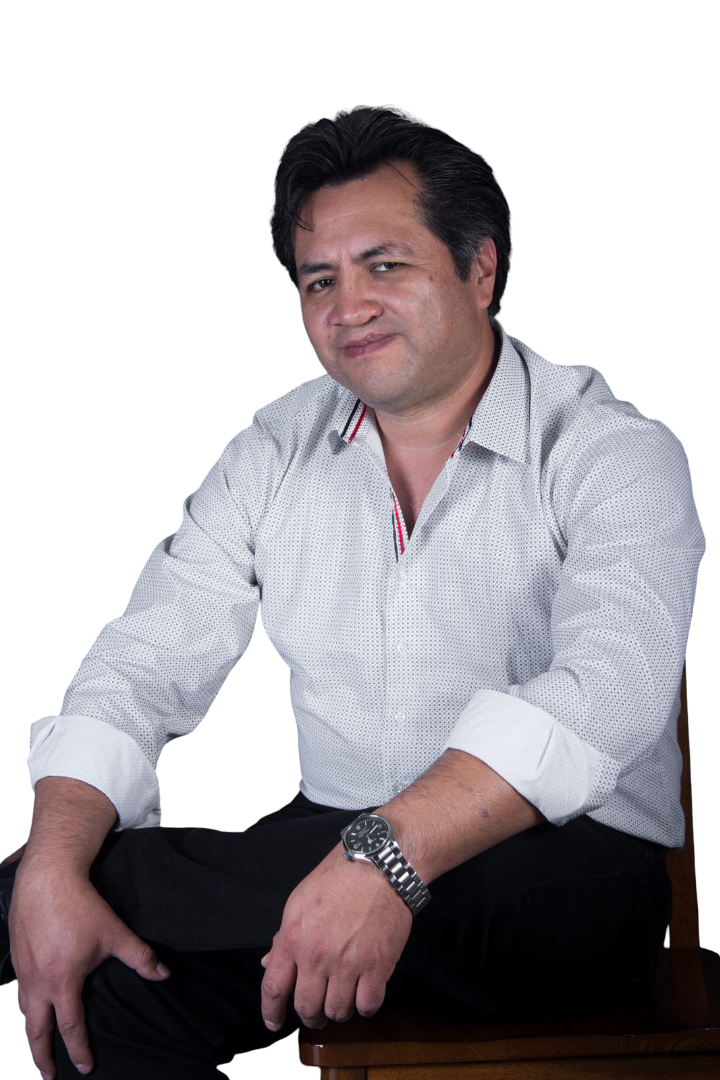 Download PNG: A white shirt and a wooden chair, Pixelcut
 Download PNG: A white shirt and a wooden chair, Pixian
The face and shirt look fine in all three. Look lower down, though: Pixelcut kept much of the chair. BusinessHeadshots and Pixian removed it, along with part of the trousers. That missing detail is easy to overlook if you only check the face.
Photo: Noemi Jimenez / License
Fine hair caught in the sunlight
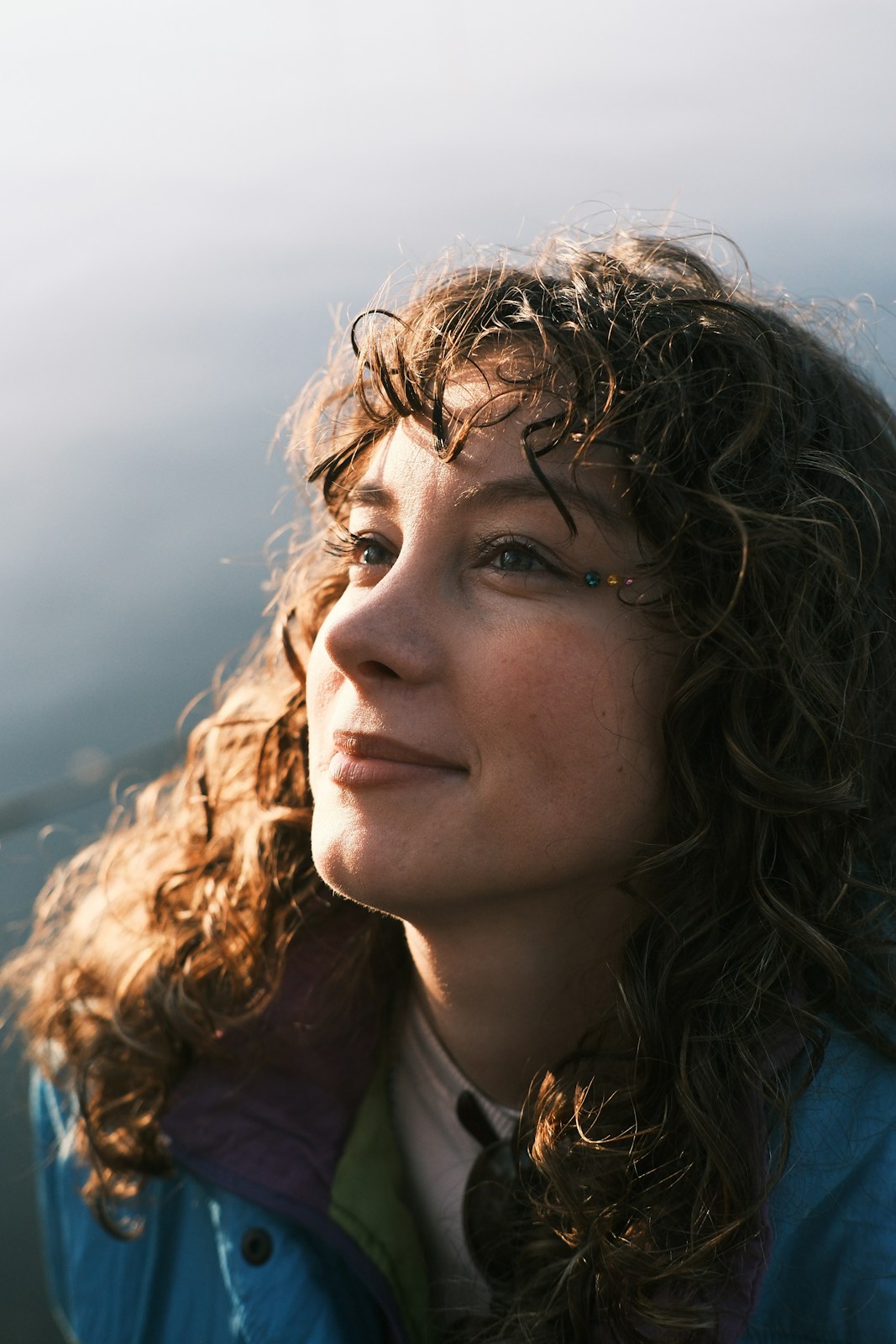 Original JPG: Fine hair caught in the sunlight, Original
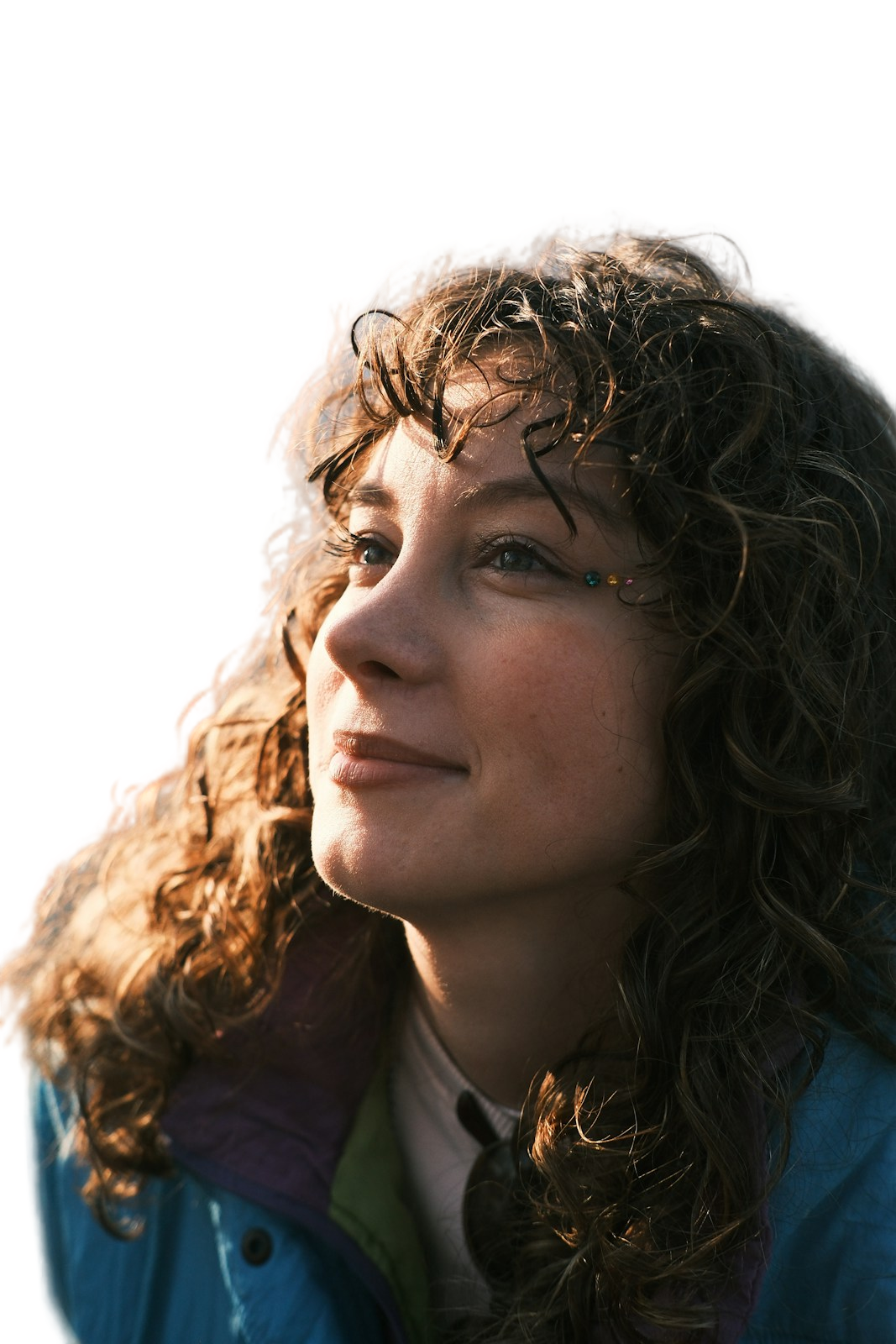 Download PNG: Fine hair caught in the sunlight, BusinessHeadshots
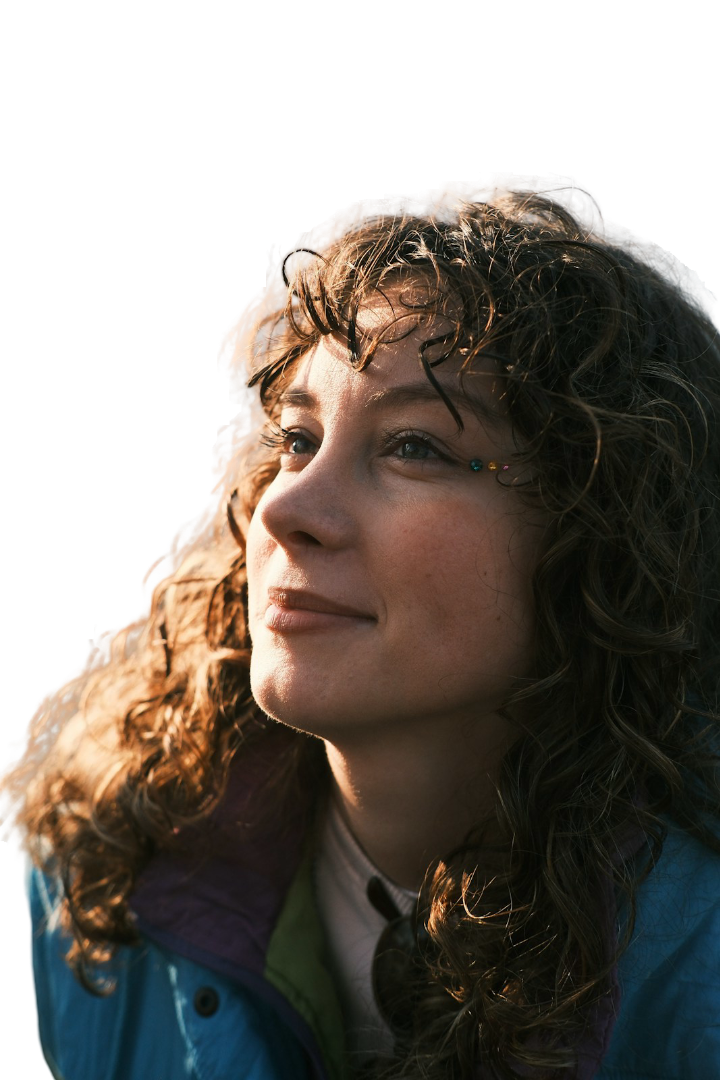 Download PNG: Fine hair caught in the sunlight, Pixelcut
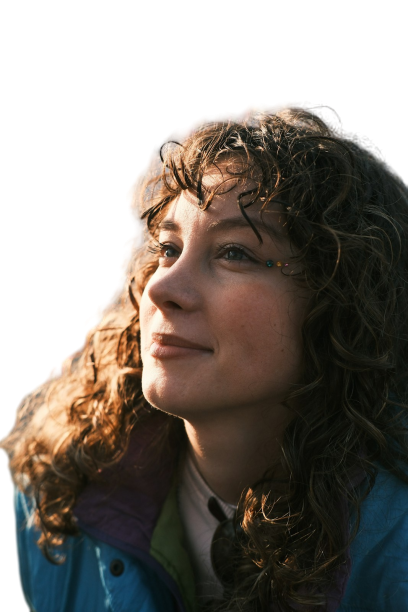 Download PNG: Fine hair caught in the sunlight, Pixian
This photo gave all three tools trouble. They left a pale strip of the old background around the hair, and some fine strands disappeared. We would still tidy up those edges before using any of these on a dark background.
Photo: Cemrecan Yurtman / License
What we could download for free
Let us download all three at the size we uploaded: 1600 pixels on the longest side. No account needed.
Let us download smaller copies, with a longest side of 1080 pixels. The download menu offered the original size for free after signing in; we did not try that option.
Gave us the smallest files in free mode: 665 by 374 pixels for the first photo and 408 by 612 for the other two. We chose transparent PNGs and kept the full photos without cropping.
Check the edges before using the photo
A clean-looking face doesn't mean the rest of the cutout is ready. In these photos, the problems were around the curls, chair and sunlit hair. We'd check those areas against the background the photo will actually sit on. A larger download gives you more pixels, but it doesn't fix a rough edge.
How we tested
We used AI-assisted browser automation to upload the same three licensed photos to each tool. Each photo had a longest side of 1600 pixels. We kept the default automatic cutout, chose a transparent PNG and downloaded the free result without signing in.
We didn't brush out mistakes, crop the results or try paid plans. The images here use lossless compression; the PNG downloads are the files the tools gave us. Three photos aren't enough to pick a winner for every portrait. We haven't scored accuracy or compared processing times.
These are stock photos, not private customer photos. The people pictured do not endorse these tools. Each photo has its source and license linked above. Free limits may change after the test date.
Test details and file information